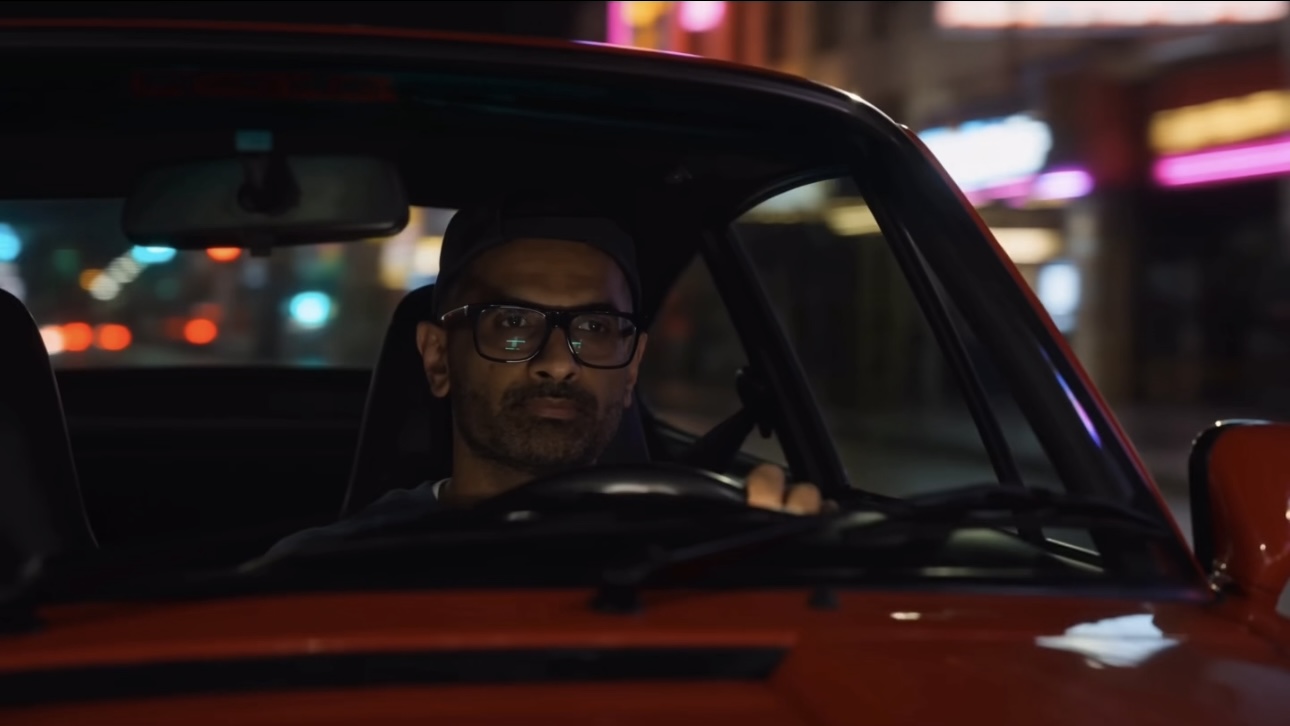
Driving Cinematic Scene
Creating a cinematic shot of driving a car in the rain at night.

Hi there! Thank you so much for your support. Here's the promised guide on how to create a portal to your fantasy world. Have fun, and don't forget to tag me in your work.
Final Video
Step 1.1 - Click a picture

Take a picture of yourself in a style and action that you want in the video. Don't worry about the angle of the shot, as long as the visuals and your facial expressions are clear in the picture.
Step 1.2 - Find the object (car)

Now find the picture of the car you want your shot to be taken.
Step 2 - Write a prompt (Claude)
The Workflow Learn this once. Every shot below uses the same five steps. Download the skill and add it under Customize → Skills Open a fresh chat and drop in your clip. Claude doesn't watch it the way you do — it reads it as a set of frames, so it sees exactly what's in the shot: you, your movement, the camera, the light. Turn on the skill and tell it the one change you want, in plain words — "swap the background to a desert at sunset right when he snaps his fingers." It writes the full prompt for you — locking everything that has to stay identical and naming the exact second the change happens. Take that prompt into Seedance 2.0 (4K) and run it on your clip.
@source: Reference frame of the man — backwards black cap, black-framed glasses, short dark beard, blue-grey oversized sweatshirt. Appearance and identity reference ONLY: preserve his face, likeness, cap, glasses, beard and sweatshirt exactly. Ignore the room, the wood panelling, the furniture, his current seated pose and his fist-toward-camera hand position — none of the background or pose carries over. Build a new scene around his preserved likeness as described. Photoreal. 16:9. 8s. Cinematic night grade, rich blacks with saturated neon spill, shallow depth of field, subtle motion blur on passing lights. NON-IP — generic red classic 1990s rear-engine sports coupe in the style of a 964, no badges or trademarked logos. SFX only. Continuous shot, no cuts. The man — same face, cap, glasses, beard and sweatshirt as the reference — is driving at night, seated naturally in the driver's seat with both hands on the steering wheel, relaxed and focused. His face is clearly alive and animated the entire time, never a still portrait: he blinks naturally at least two or three times at human intervals, his eyes shift and refocus between the road and small glances, his head makes subtle real settles and micro-adjustments, faint brow and jaw movement, a soft steady breath — a living, present, human performance, absolutely never stiff, frozen, held or mask-like, while his identity and features stay exactly consistent with the reference. He is lit by warm interior glow and the colored spill of passing neon washing across his face. Open tight through the windshield onto him, the night world streaming past with parallax matched to the car's motion: wet asphalt rushing underneath, neon storefronts and streetlights smearing past as reflected streaks across the glass and sweeping over his face and the dashboard, the car clearly in motion throughout. The camera begins a smooth continuous push-out and slight low arc, pulling back off the driver, through the windshield plane and out of the car, settling on an exterior three-quarter-rear framing that reveals the whole red 964 driving on a neon-lit night street, colored reflections riding along its glossy red bodywork and the wet road. As the camera settles outside, the 964 accelerates and speeds away into the neon distance, taillights receding. His face stays exactly consistent with the reference while remaining naturally animated; the car holds real proportions and its red paint throughout; one unbroken move. SFX only: muffled interior ambience and a low flat-six engine hum over the opening, building to a fuller engine note and tire hiss on wet road as the camera moves outside, then a rising throttle surge and Doppler falloff as the car speeds away, neon-street ambience underneath.
Step 3 - Create a shot

Copy the prompt that you created on Claude. Go to Higgsfield and choose Seedance 2.0 4K as your video model. In the prompt section; - Paste the prompt - Upload your picture as a reference image. - Select the length of the video - Then select the ratio. I chose 16:9. Click Generate. You also have an option to generate in 1080p or 4K based on the quality and resolution you are looking for. You can select either of the two.
Try now